RigExpert Stick 500
This primer considers the 185g SWR Tester, ideal for QRP "on-the-air" trips. It is small, rugged and doesn't require constant calibration in the field.
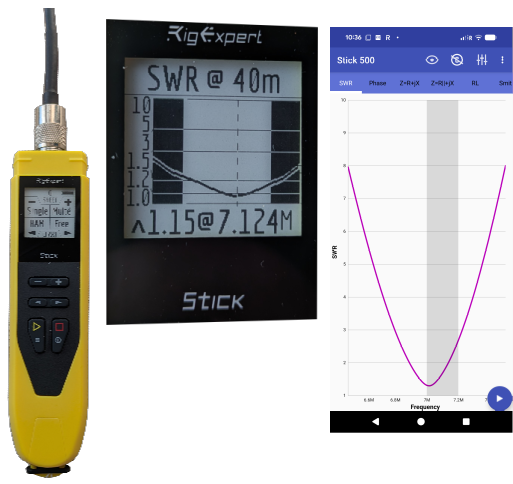
- Frequency range: 0.1 to 500 MHz
- Frequency entry: 1 kHz
- Display modes: HAM (a quick check of single band antenna), Multé (a quick check of multiband antennas)
- Connector type: UHF (SO-239)
Basic Operation Procedure
- Connect: Connect the SO-239 connector to the antenna with a 50Ω transmission line.
- Turn on: Press the ▢ button to turn on the stick.
- Select HAM band: Press the ◀ button to scroll through the HAM bands, until you find the required one.
- SWR will show on the screen as shown.
AntScope
- Install the AntScope application (RigExpert) on your phone, tablet or laptop.
- With the Stick 500 connected to an antenna and turned on with the ▢ button, press the bluetooth symbol on the application to connect.
- In the Settings - MEASUREMENT tab select Start, Stop and set Start about 500 kHz below the required range and set Stop about 500 kHz above the required range.
- Return to the main window, select the SWR tab and a graph will show the SWR values across the range. Aim to have the frequency that you want to transmit below 1.5).
- Adjust the available controls on the antenna and retest until you have a satisfactory SWR.
.
.